The best microphones for streaming range from simple USB desktop models to wireless and XLR kits with more setup options. Choose by how you connect, position, and monitor your mic, then match the controls and included accessories to your streaming setup.
Quick Top Products
MAONO PD200XS XLR/USB Dynamic Microphone Kit
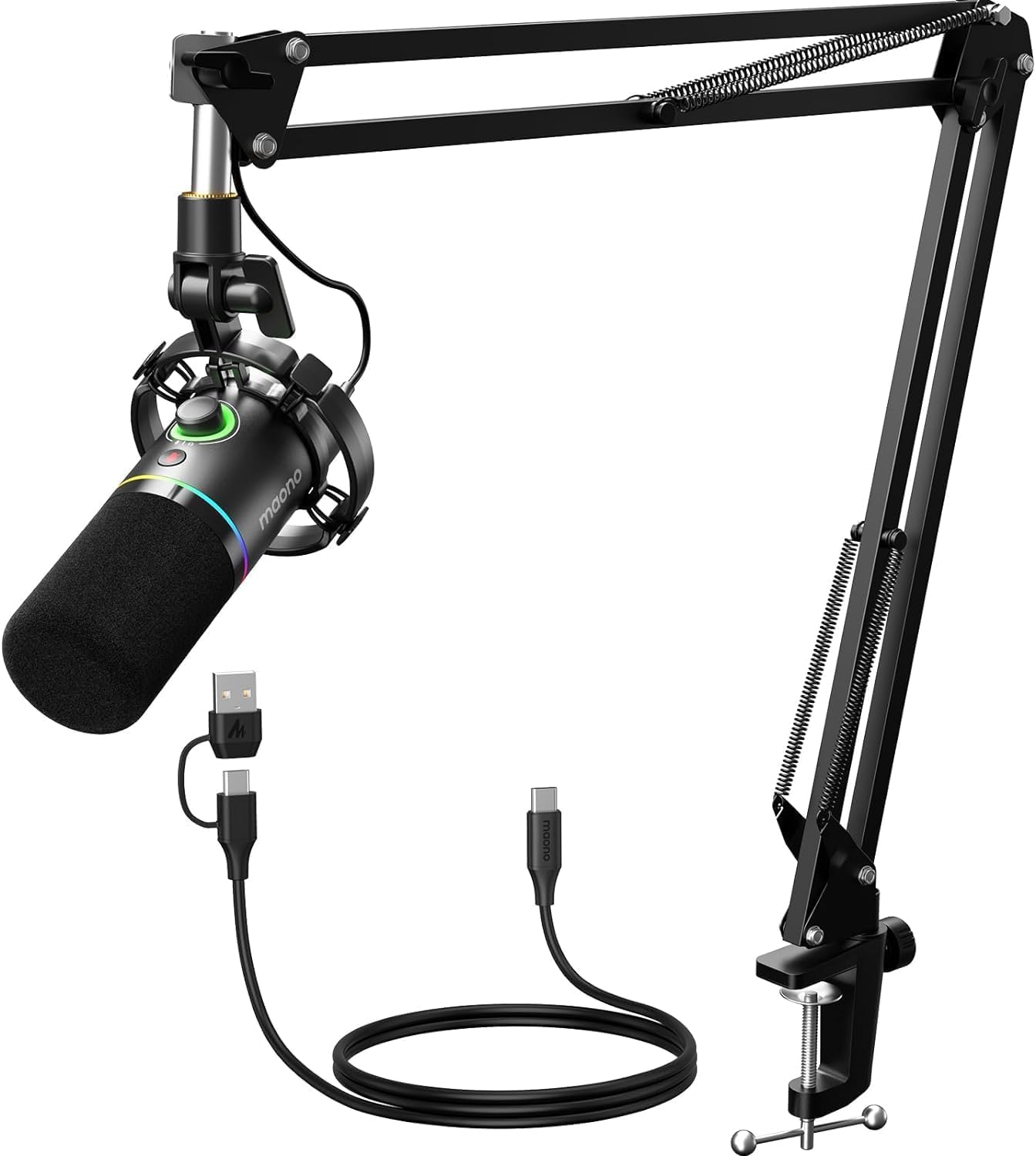
- USB and XLR connections support computer use or connection to professional interfaces and mixers.
- MAONO Link offers EQ, limiter, and compressor adjustments in USB mode.
- The kit includes an adjustable microphone boom arm and shock mount.
Best For: Streamers who want a boom arm, software audio adjustments, and USB or XLR connections.

MAONO DGM20W Wireless Gaming Microphone
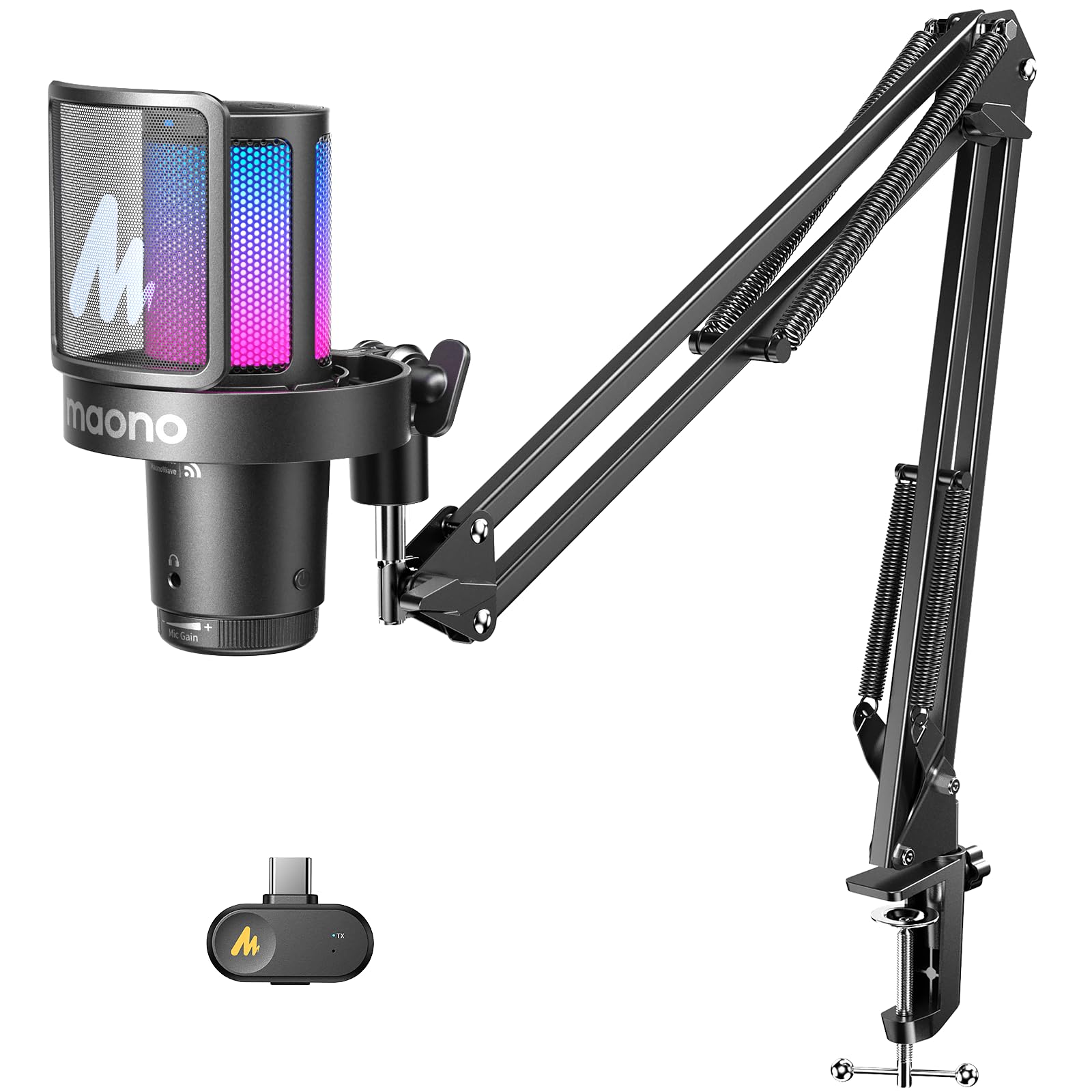
- Switch between 2.4G wireless and USB wired modes.
- Touch controls include noise reduction and mute, with gain and headphone monitoring.
- Battery life is up to 40 hours with RGB off.
Best For: Streamers who want to switch between 2.4G wireless and wired USB use.
SteelSeries Alias Pro Kit
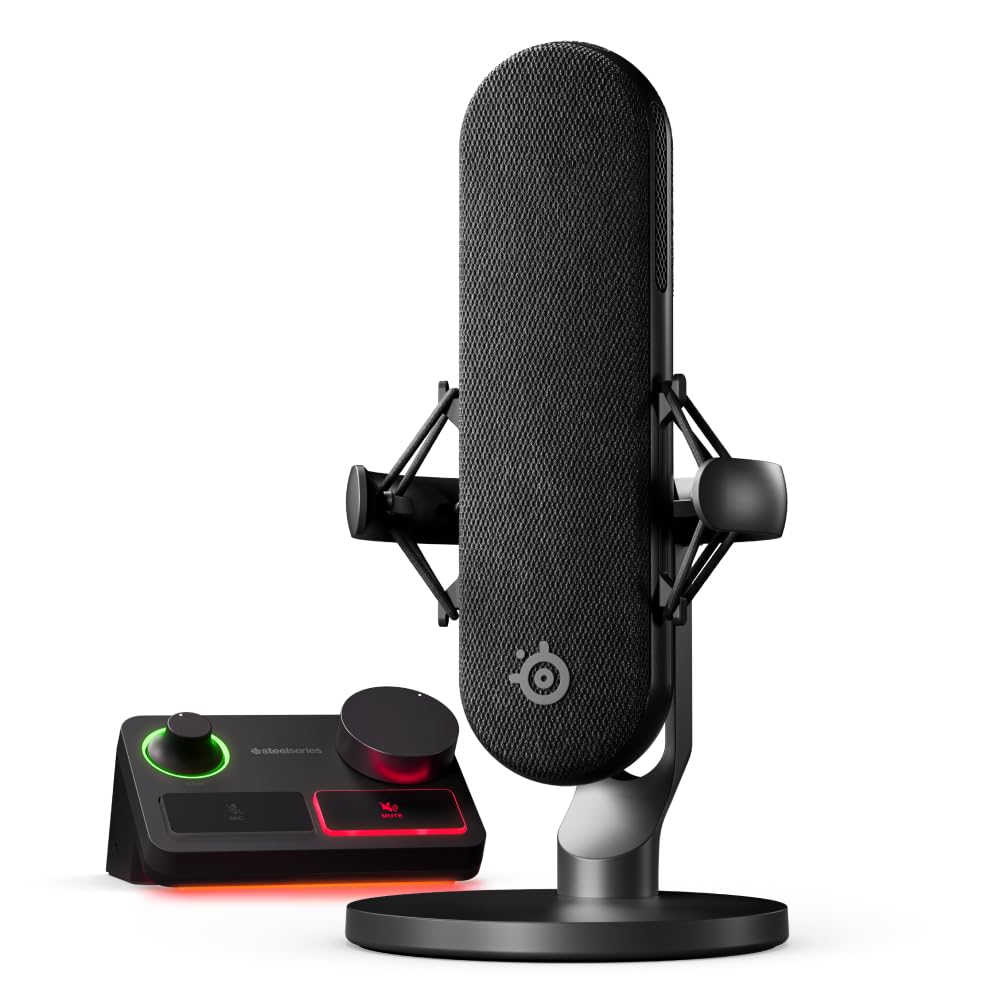
- The kit combines an XLR mic and stream mixer with USB/XLR interface connectivity.
- USB-C supports a single-PC or dual-PC streaming setup.
- The microphone includes an integrated shock mount.
Best For: Streamers who need an XLR microphone and dedicated mixer controls for one or two PCs.
SteelSeries Alias USB Microphone
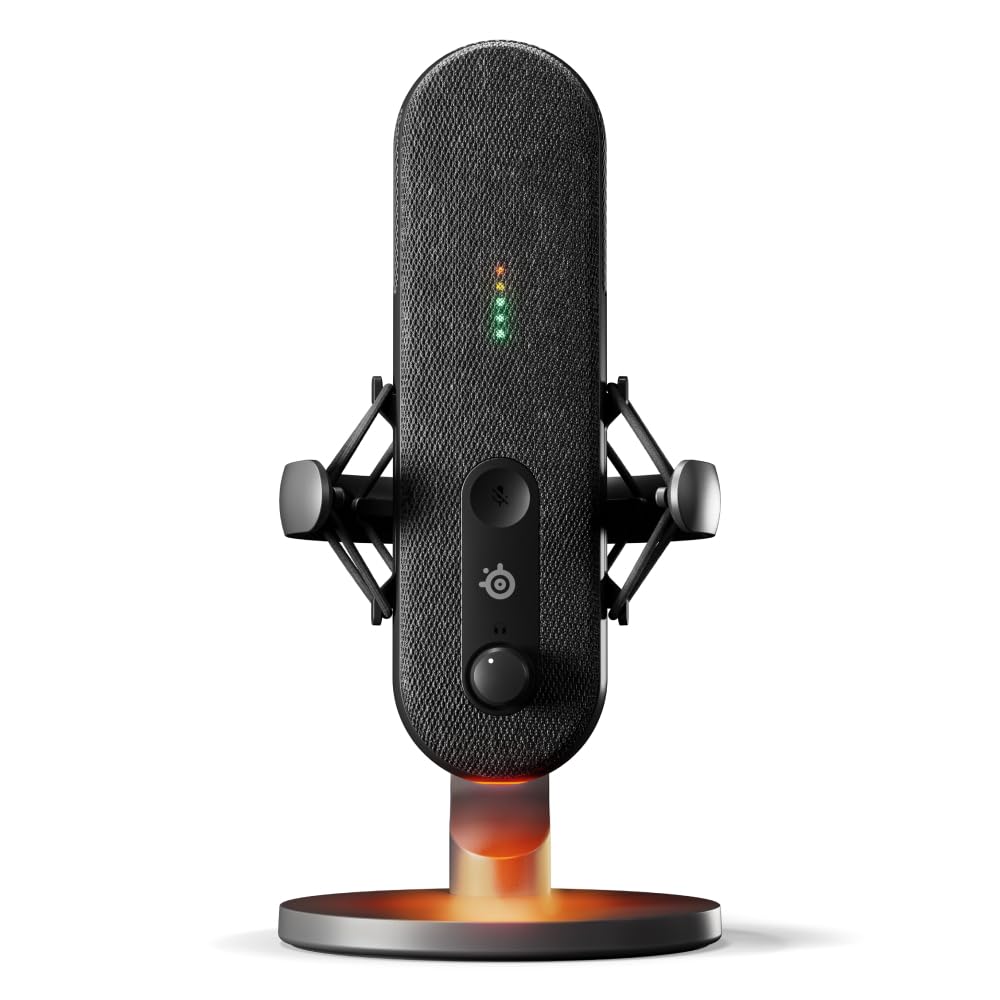
- The cardioid mic includes Sonar software for mixing and app routing.
- LEDs show audio level and mute status on the microphone.
- An integrated shock mount works with the included desktop stand.
Best For: Streamers who want a USB microphone with Sonar software and visible mute and level status.
MAONO DGM20S Gaming Microphone
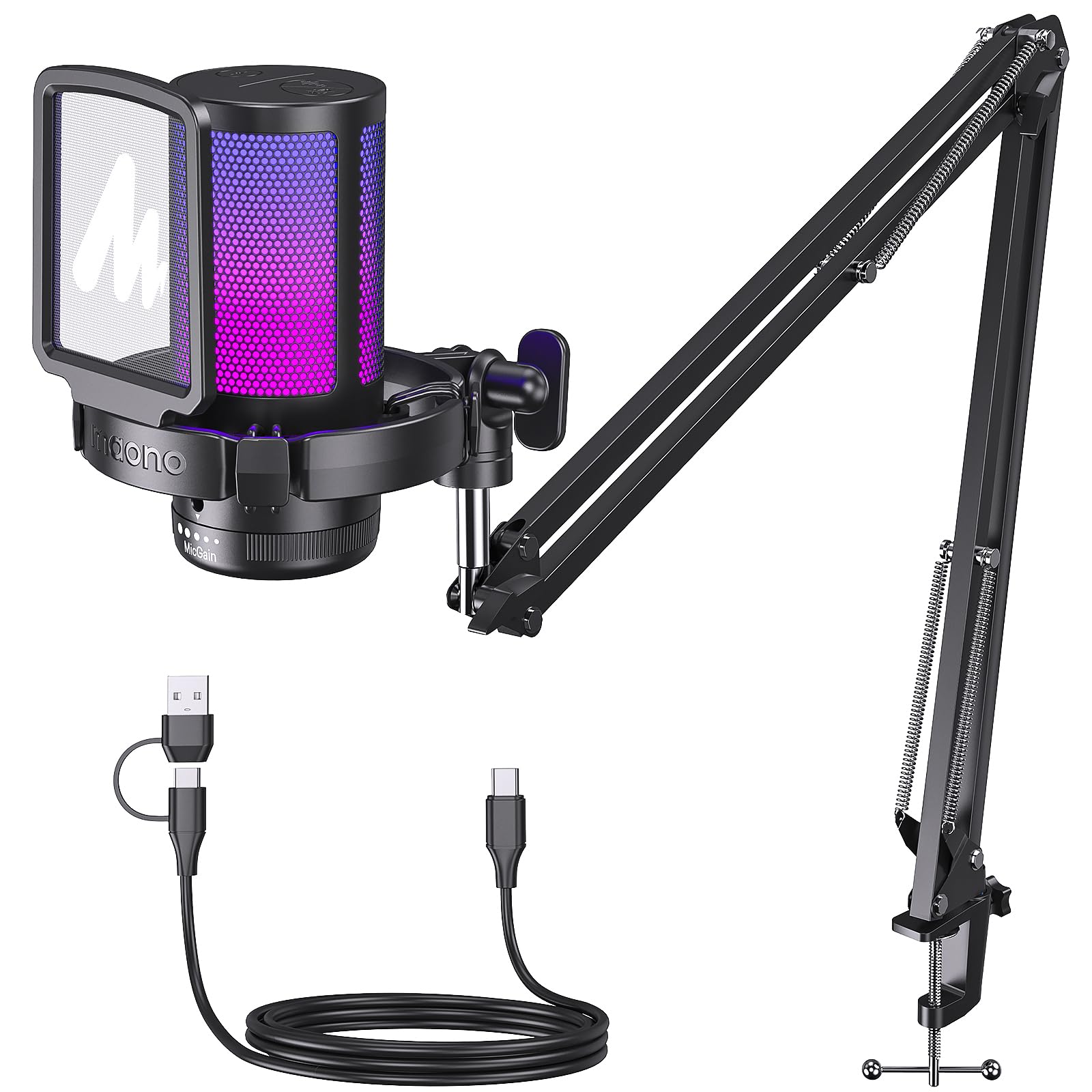
- One-click noise cancellation and cardioid pickup are aimed at clearer front vocals.
- The mic provides mute, gain, and zero-latency monitoring controls.
- The package includes a flexible metal arm, shock mount, and pop filter.
Best For: Streamers who want a USB condenser mic with one-click noise cancellation and a supplied boom arm.
FIFINE AmpliGame AM8T XLR/USB Microphone Set
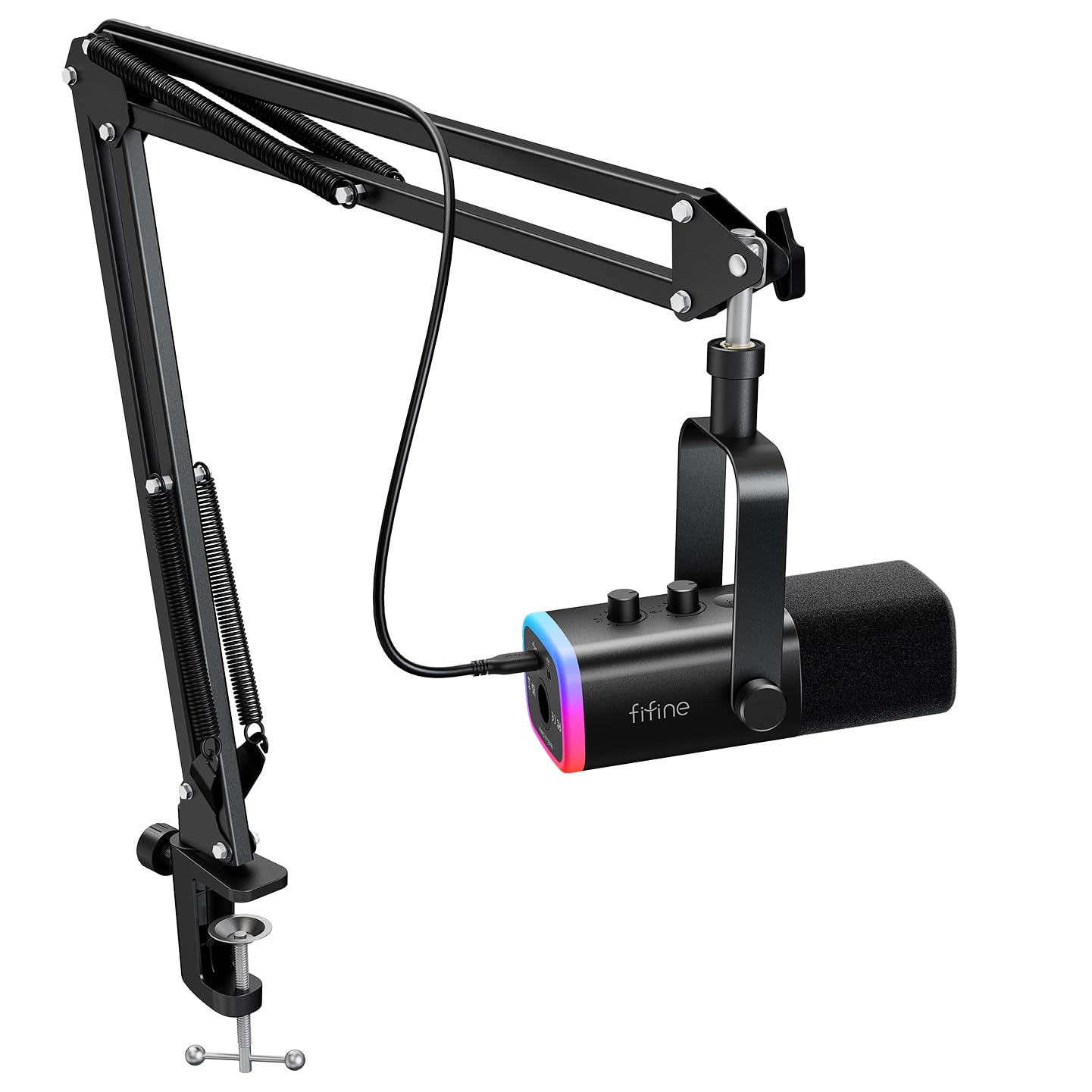
- USB supports plug-and-play use, while XLR connects to a mixer or sound card.
- The mic kit includes a boom arm, mute button, gain knob, and headphone jack.
- The desk clamp fits desktops under 2 inches thick.
Best For: Streamers who want a dynamic mic, boom arm, headphone monitoring, and USB or XLR connectivity.
FIFINE AmpliTank K688 Dynamic Microphone
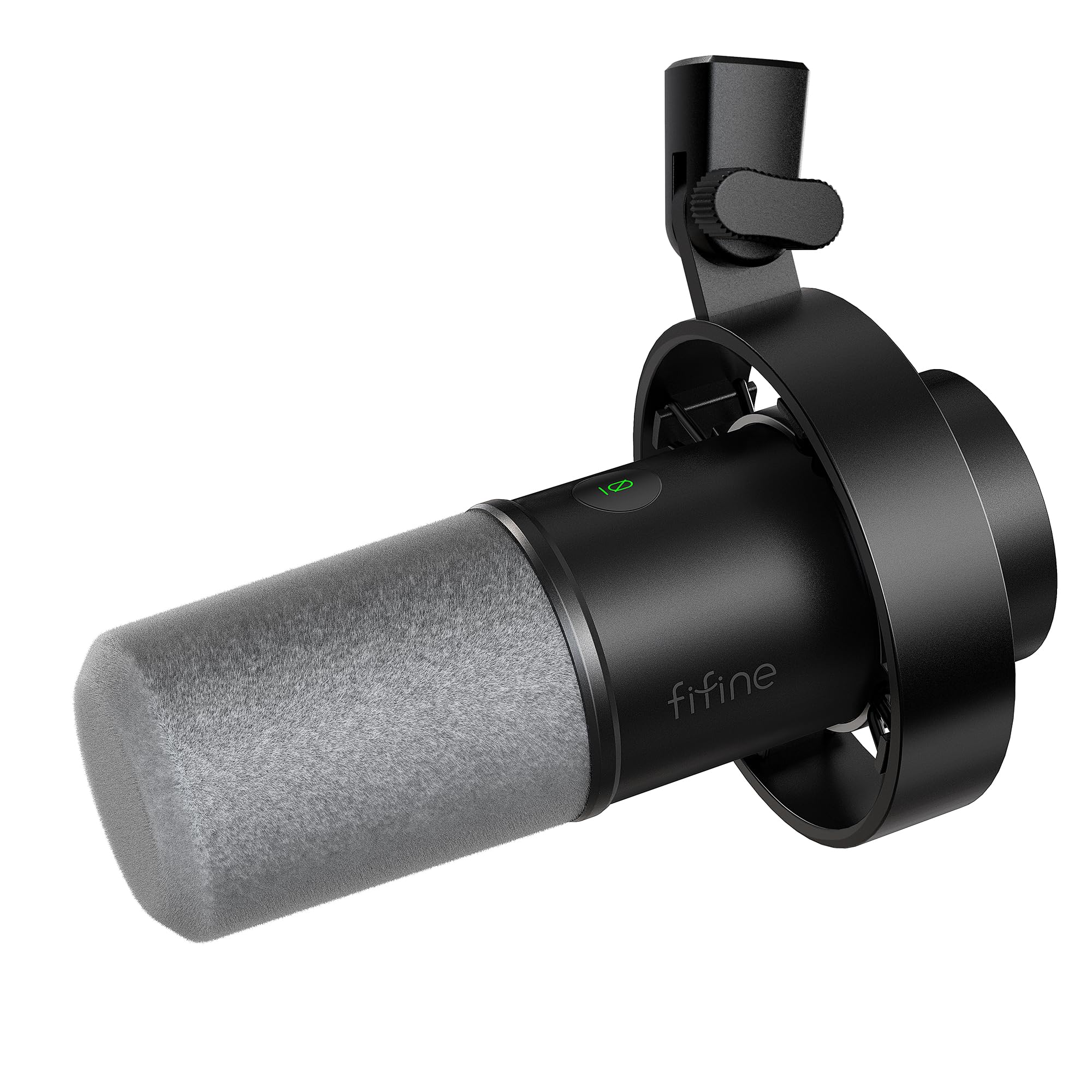
- The dynamic mic supports both XLR and USB connections.
- USB mode provides mute, gain, and headphone monitoring controls.
- The box includes a shock mount and windscreen.
Best For: Streamers who want a dynamic mic with USB controls now and an XLR connection option later.
FIFINE AmpliGame AM6 USB Gaming Microphone
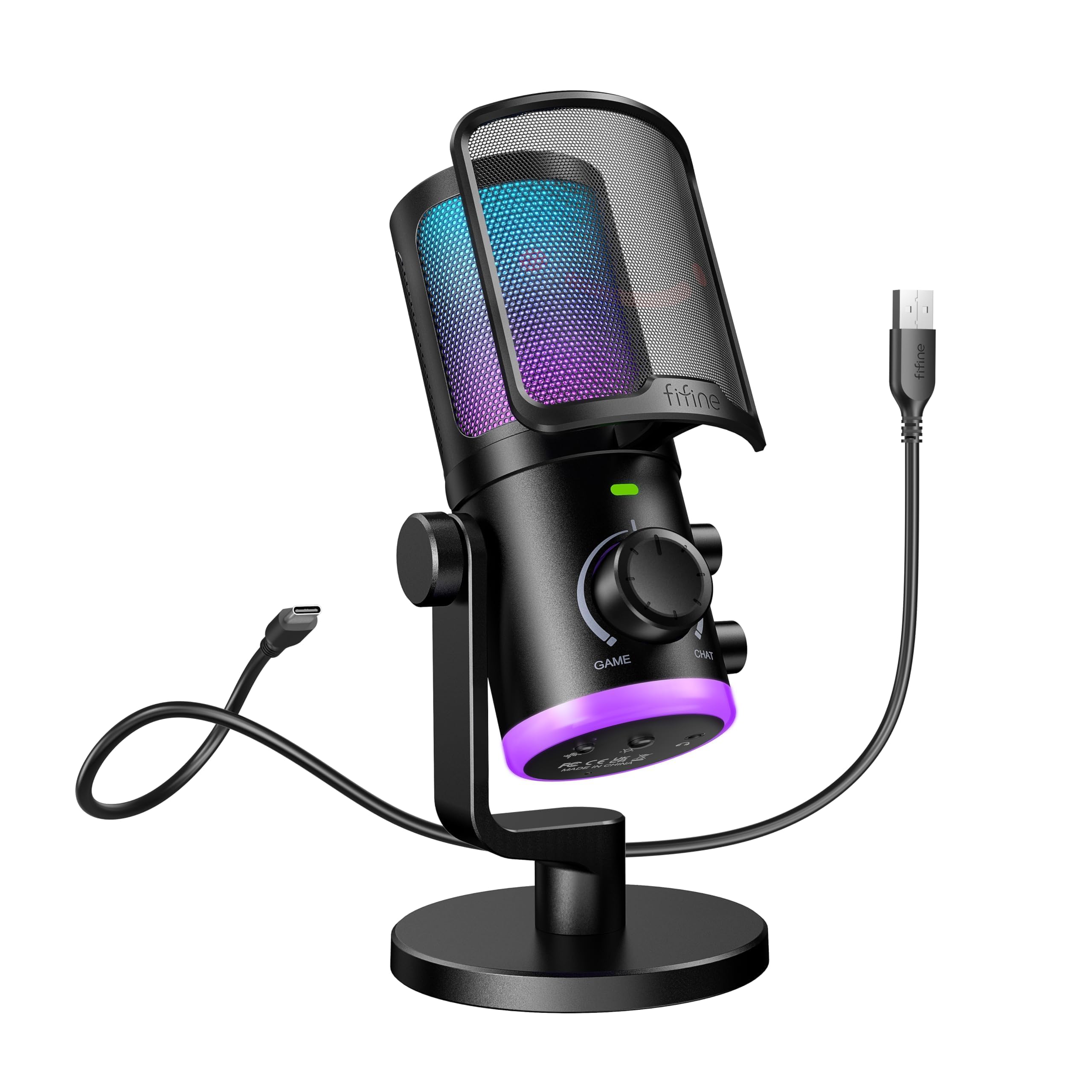
- A dial adjusts the balance between game audio and voice chat.
- The mic includes noise cancellation, mute, gain, and headphone controls.
- The game/chat dial works on computers and Mac, but not PS4 or PS5.
Best For: PC streamers who want a physical game-to-chat balance dial alongside mic controls.
FIFINE AmpliGame A6T USB Microphone Kit
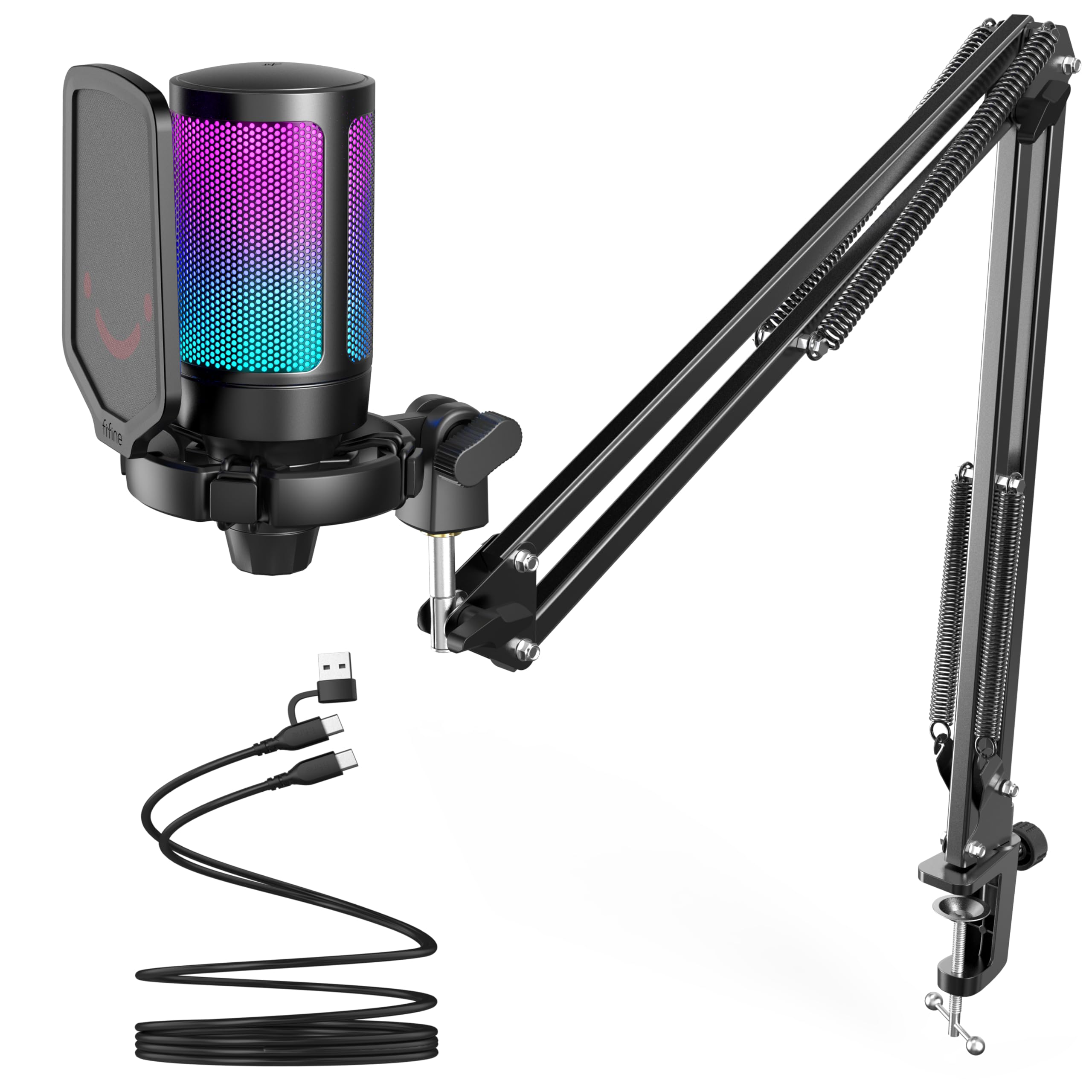
- USB plug-and-play compatibility covers Windows, Mac, and PS4 or PS5.
- The kit includes a boom arm, pop filter, shock mount, and USB cable.
- The boom arm folds away and rotates nearly 180 degrees up and down.
Best For: Streamers who want a condenser mic, boom arm, pop filter, and shock mount in one USB kit.
FIFINE AmpliGame A6V USB Gaming Microphone
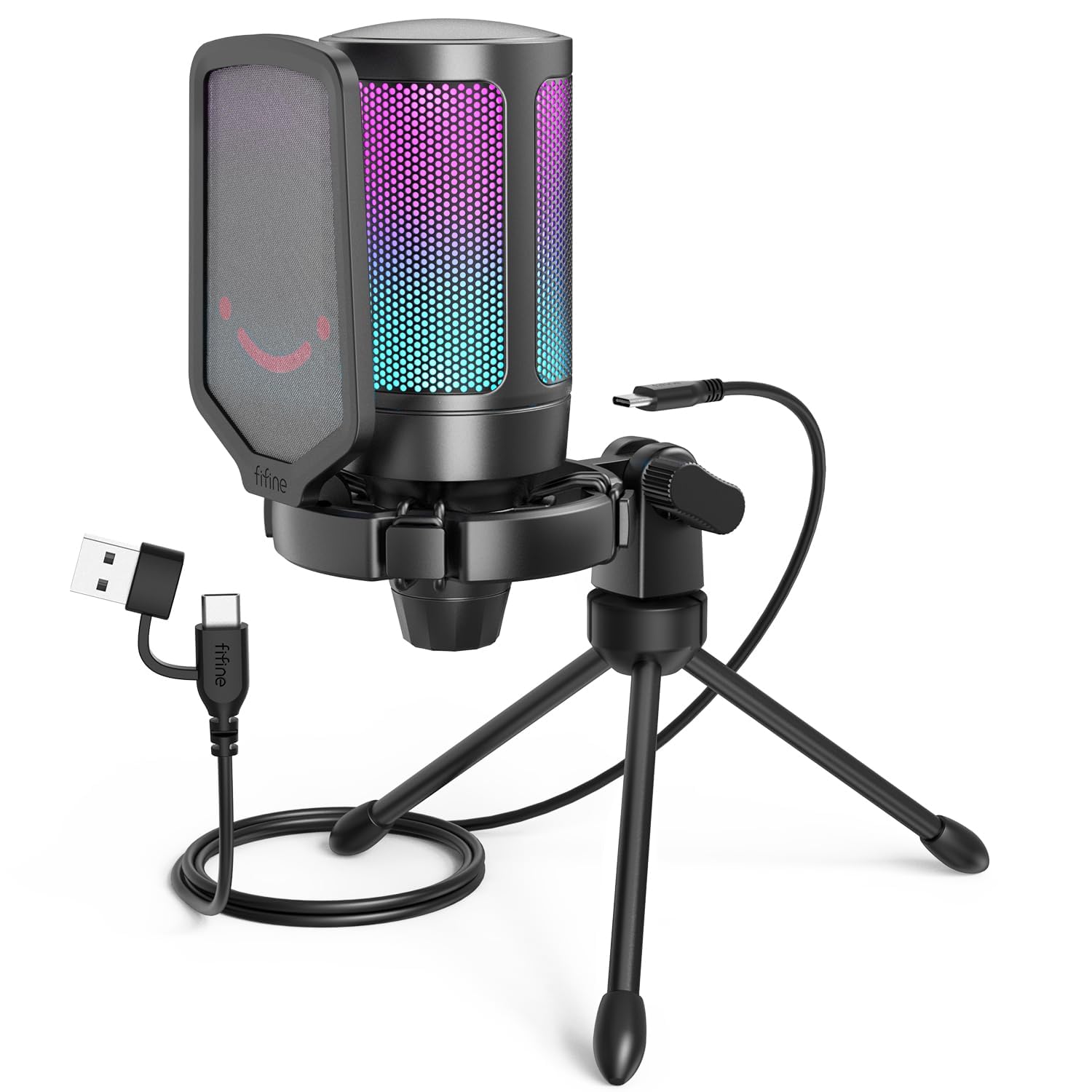
- The package includes a tripod stand, shock mount, and pop filter.
- Tap mute and a gain knob provide direct mic controls.
- The mic connects to PS4, desktop, and laptop without extra software.
Best For: Streamers who prefer a desktop tripod and included pop filter over a boom arm.
Dynamic Kit With Software Control
MAONO XLR/USB Dynamic Microphone Kit, RGB Podcast Mic with Software, Mute, Gain Knob, Volume Control, Boom Arm for Streaming, Gaming, Voice-Over, Recording-PD200XS Black
The MAONO PD200XS combines a dynamic microphone with a boom arm, USB and XLR connections, and MAONO Link software. In USB mode, the software supports EQ, limiter, compressor, and nine RGB colors, giving streamers several ways to shape their setup.
A smart knob handles mic gain and headphone volume, while a one-click mute key and headphone jack support quick control and monitoring. The kit includes a shock mount and USB cable, but no XLR cable.
It suits creators who want adjustable audio and a supplied arm, provided they are comfortable choosing USB or adding their own XLR cable for an interface.
Best For: Streamers who want a boom arm, software audio adjustments, and USB or XLR connections.
| Pros | Cons |
|---|---|
|
|
Choose this kit if you want a dynamic mic, supplied boom arm, and software adjustment options in one package. USB is the simpler route and unlocks MAONO Link controls; XLR supports a mixer or interface, but you need to supply that cable.
Before buying, check whether the arm fits your desk and whether your workflow needs USB software functions or an XLR connection. The two connection paths serve different setups, so plan around the equipment you already use.
Cable-Free Desktop Flexibility
MAONO DGM20W Wireless Gaming Microphone for PC, Condenser USB Mic with Boom Arm for Streaming, Touch Noise Cancellation, Quick Mute,Gain Control,RGB, Computer Boom Mic for PS5 Twitch Discord, Black
The MAONO DGM20W is a condenser gaming microphone with both 2.4G wireless and USB wired modes. Its included USB-C receiver and adapter cable support different connection needs, and it is designed for computers, phones, and PS5.
A touch noise-reduction control, gain knob, headphone monitoring jack, and touch mute give streamers direct access to common adjustments. The mic also has adjustable RGB and a built-in rechargeable battery rated for up to 40 hours with RGB off.
That flexibility can help keep a desk clear, though the product is not compatible with Xbox and an iPhone Lightning receiver is not included.
Best For: Streamers who want to switch between 2.4G wireless and wired USB use.
| Pros | Cons |
|---|---|
|
|
Pick the DGM20W if switching between wireless and wired operation matters to your desk or recording routine. It offers more connection flexibility than a USB-only mic, while retaining direct controls and headphone monitoring.
Its stated battery runtime applies with RGB off, so consider whether you plan to use the lighting. Check the device connection before buying: the included receiver and adapter support several interfaces, but the Lightning receiver is separate and Xbox is unsupported.
Stream Mixing and Dual-PC Routing
SteelSeries Alias Pro Kit — XLR Mic + Stream Mixer — 3x Bigger Capsule for Gaming, Streaming and Podcasting — USB/XLR Interface — Free Sonar Audio Software — Custom Controls — RGB — Single or Dual PC
The SteelSeries Alias Pro Kit pairs a cardioid XLR microphone with a USB/XLR stream mixer and free Sonar software. The mixer has customizable controls and RGB, and the kit supports a single-PC or dual-PC streaming arrangement through USB-C.
The microphone's capsule is described as up to three times bigger than other mics, and an integrated shock mount is included. This is a more involved setup than a straightforward USB desktop microphone, but the mixer and software provide a path for creators who want routing and level controls in their stream workflow.
A boom arm is sold separately, so plan your mounting setup around the included desktop stand or another compatible support.
Best For: Streamers who need an XLR microphone and dedicated mixer controls for one or two PCs.
| Pros | Cons |
|---|---|
|
|
Choose the Alias Pro Kit when your stream benefits from a dedicated mixer and the option to connect one or two PCs. Its XLR microphone and Sonar software make it a more configurable route than a direct USB mic, with the added setup complexity that entails.
The included desktop stand gives you a starting position, but a boom arm requires a separate purchase. Check your routing needs and available desk space before choosing this kit.
USB Mic With On-Device Level Feedback
SteelSeries Alias USB Mic for PC — 3x Bigger Capsule for Gaming, Streaming and Podcasting — Sonar for Streamers Audio Software — AI Noise Cancelling — LED Mute & Level Monitoring — Shock Mount
The SteelSeries Alias is a cardioid USB microphone aimed at gaming, broadcasting, and podcasting. It works with SteelSeries Sonar software for mixing, app routing, and AI noise cancellation.
Green-to-red LED lighting on the mic shows audio levels and mute status, while customizable RGB downlighting adds a visual element to the desk. Its integrated shock mount is compatible with the included desktop stand or a separately sold boom arm.
This straightforward USB model avoids the separate stream mixer included with the Alias Pro kit, while still offering software tools for stream audio. Consider whether the desktop stand suits your placement or whether you want to budget for an arm.
Best For: Streamers who want a USB microphone with Sonar software and visible mute and level status.
| Pros | Cons |
|---|---|
|
|
The Alias USB is a good fit if you want the SteelSeries software workflow without the separate mixer in the Pro kit. Its LED level and mute display gives useful status feedback at the mic, and the integrated shock mount is part of the package.
The main placement choice is whether to use the desktop stand or buy a boom arm. Check the stand footprint and your preferred mic position before settling on this USB setup.
Noise Controls With a Flexible Arm
MAONO DGM20S Gaming Microphone for PC with Clear Voice & Noise Reduction | RGB Lighting, Tap-to-mute, Gain Control, Headphone Monitoring and Boom Arm for Discord Gaming, Streaming, Content Creation
The MAONO DGM20S is a USB condenser microphone for PC, Mac, and PS4 or PS5 streaming. Its cardioid pickup focuses on sound from the front, while one-click noise cancellation is intended to reduce background noise.
The mic has nine RGB lighting modes, a top mute button, a gain knob, and zero-latency headphone monitoring. A metal arm can move the mic closer during use or fold away, and the kit also includes a shock mount and removable pop filter.
Xbox is unsupported. This package suits a desk that benefits from flexible positioning and direct audio controls without adding an XLR interface to the setup.
Best For: Streamers who want a USB condenser mic with one-click noise cancellation and a supplied boom arm.
| Pros | Cons |
|---|---|
|
|
Choose the DGM20S if you want a supplied arm and USB streaming controls in a single package. The arm helps when you want the mic close during a session and out of the way afterward; the pop filter and shock mount are also included.
This is a USB-focused option rather than an XLR upgrade path. Confirm your console or computer is compatible, and check that the desk clamp and arm suit your furniture and preferred position.
Dynamic Mic With Monitoring Arm
FIFINE XLR/USB Gaming Microphone Set, Dynamic PC Mic for Streaming Podcasting, Computer RGB Mic Kit with Boom Arm Stand, Mute Button, Headphones Jack, for Recording Vocal Voice-Over-AmpliGame AM8T
The FIFINE AmpliGame AM8T combines a dynamic microphone and boom arm with USB and XLR connectivity. USB is plug and play for PC streaming or recording, while XLR connects to a mixer or sound card.
On the mic, the mute button and gain knob provide direct control, and the headphone jack supports real-time monitoring and headphone volume adjustment. Customizable RGB is also controlled on the mic.
The kit includes a USB cable and desk clamp, but not an XLR cable. Check desk thickness for the clamp and plan to provide an XLR cable if you want to connect through an interface.
Best For: Streamers who want a dynamic mic, boom arm, headphone monitoring, and USB or XLR connectivity.
| Pros | Cons |
|---|---|
|
|
This AM8T set fits streamers who want a dynamic mic and boom arm now, with the option to move from USB to XLR equipment later. USB provides a direct PC connection; XLR needs a separate cable and compatible mixer or sound card.
The included arm and on-mic monitoring controls support a flexible desk workflow. Measure your desktop against the clamp limit and check whether your current or planned interface uses the supplied connection path.
Metal Dynamic Mic for USB or XLR
FIFINE Dynamic Microphone, XLR/USB Podcast Recording PC Microphone for Vocal Voice-Over Streaming, Studio Metal Mic with Mute, Headphone Jack, Monitoring Volume Control, Windscreen-Amplitank K688
The FIFINE AmpliTank K688 is a metal dynamic microphone with both USB and XLR outputs. USB connects directly to a Windows or Mac computer, and the mic has tap-to-mute, gain control, and a 3.5 mm headphone jack for real-time monitoring.
Those controls are available only over USB. For XLR use, a mixer or sound card is needed, and the mic's XLR output does not include a cable.
The package includes a shock mount, windscreen, USB cable, and adapter, but no stand or boom arm. This setup makes sense if you already have mounting hardware or want to choose it separately.
Best For: Streamers who want a dynamic mic with USB controls now and an XLR connection option later.
| Pros | Cons |
|---|---|
|
|
Choose the K688 if you want the microphone itself to support both a simple USB connection and a future XLR setup. USB mode includes the convenient mute, gain, and monitoring functions; those controls do not carry over to XLR.
It arrives with a shock mount and windscreen, but you must supply the stand or arm and, for XLR, the cable. Check what mounting hardware you already own before comparing it with complete kits.
Game and Chat Mix Dial
FIFINE Gaming PC Microphone, USB Streaming Microphone with Game Chat Balance, Computer Condenser Desktop RGB Mic with Mute Button, Noise Cancellation for Podcast/Twitch/Discord-AMPLIGAME AM6
The FIFINE AmpliGame AM6 is a USB condenser microphone with a game and voice chat balance dial. That control is intended for desktop, laptop, or Mac use and is unavailable on PS4 or PS5.
The mic also offers noise cancellation, controllable RGB, tap-to-mute, gain control, and headphone volume adjustment. It is plug and play across PC, Mac, and PS4 or PS5, with the mix dial limitation applying to those consoles.
Real-time monitoring is not activated by default on a PC setup, so some setup steps are needed. Choose it for PC streaming if balancing game and chat from the mic matters.
Best For: PC streamers who want a physical game-to-chat balance dial alongside mic controls.
| Pros | Cons |
|---|---|
|
|
Pick the AM6 if you stream on a computer and want to adjust the game-to-chat mix from a physical dial. That function is specifically limited to computer and Mac use, so console buyers should weigh the other mic controls instead.
It includes noise cancellation, gain, mute, headphone volume, and RGB. If you rely on PC monitoring, account for the activation steps before a live session.
Boom Arm Kit With Touch Mute
FIFINE Gaming PC USB Microphone, Podcast Condenser Mic with Boom Arm, Pop Filter, Mute Button for Streaming, Twitch, Online Chat, RGB Computer Mic for PS4/5 PC Gamer Youtuber-AmpliGame A6T
The FIFINE AmpliGame A6T is a USB condenser microphone kit with a boom arm, pop filter, and shock mount. It is plug and play with Windows, Mac, and PS4 or PS5.
A touch-mute button, volume knob, and automatic gradient RGB give convenient on-mic control and a gaming-focused look. The boom arm can rotate nearly 180 degrees up and down and fold away when the mic is not in use.
Its cardioid pattern focuses on front voice, and the included C-clamp fits desks up to 2 inches thick. This is a complete USB desk option; it does not offer the XLR connection found on some dynamic kits.
Best For: Streamers who want a condenser mic, boom arm, pop filter, and shock mount in one USB kit.
| Pros | Cons |
|---|---|
|
|
Choose the A6T if you want an arm-mounted USB condenser kit with core accessories included. Its touch mute and volume knob are easy to reach, while the folding arm helps reclaim desk space between sessions.
The key fit check is your desk: the included clamp supports surfaces up to 2 inches thick. If you need an XLR connection for an audio interface, consider one of the dual-connection dynamic options instead.
Compact Tripod Kit With Pop Filter
FIFINE Gaming USB Microphone for PC PS5, Condenser Mic with Quick Mute, RGB Indicator, Tripod Stand, Pop Filter, Shock Mount, Gain Control for Streaming Discord Twitch Podcasts Videos- AmpliGame
The FIFINE AmpliGame A6V is a USB condenser gaming microphone with a tripod stand, shock mount, and detachable pop filter. It connects to PS4, desktop, and laptop systems without extra software, and its cardioid pickup is intended to focus on front vocals.
A tap-to-mute button and gain knob support quick adjustments, while the RGB indicator turns off when muted. The included USB cable is 6.6 feet long.
Unlike the boom-arm kits in this roundup, the A6V keeps the mic on a desktop tripod, which may suit a simpler or more portable desk arrangement. Check that the tripod position puts the mic at a comfortable speaking angle.
Best For: Streamers who prefer a desktop tripod and included pop filter over a boom arm.
| Pros | Cons |
|---|---|
|
|
Pick the A6V if a desktop tripod better suits your streaming space than a clamp-mounted boom arm. It includes a pop filter and shock mount, plus tap mute and gain control for quick adjustments.
Its setup is USB focused and supports PS4, desktop, and laptop use. Before buying, consider where the tripod will sit relative to your keyboard and screen, and whether you would rather move the mic on an arm.
How to Choose Microphones For Streaming
How We Picked Microphones for Streaming
Streaming setups vary from a single USB mic on a small desk to an XLR microphone connected through a mixer, so this roundup includes both simple and more configurable paths.
We prioritized products with direct evidence of streaming or gaming use, then looked for practical distinctions: USB or XLR connectivity, supplied stands or arms, on-mic mute and gain controls, headphone monitoring, and software or noise controls. Wireless models earned a place where they offered a genuinely different way to organize a desk.
That approach keeps the choices tied to real workflow needs. A bundled boom arm can simplify placement, while a desktop tripod avoids a clamp.
USB makes for a direct computer connection; XLR can connect to a mixer or interface but may require extra equipment or cables. Compatibility limits and missing accessories matter because they change what is needed to go live.
Comparing Microphones for Streaming
The biggest split is between USB-focused microphones and models that also have XLR. The DGM20S, AM6, A6T, and A6V use USB, while the PD200XS, AM8T, K688, and Alias Pro add XLR connectivity.
A dual connection can help if you plan to use an interface, though XLR cables are not included with the PD200XS or AM8T, and the K688 arrives without a stand or boom arm. The Alias Pro takes a different route by bundling a stream mixer.
Mounting changes how a microphone fits a desk. The DGM20S, PD200XS, and AM8T include boom arms; the A6T also has an arm that folds away.
The A6V comes with a tripod, while the K688 needs separately sourced support. Consider clamp fit and where the mic will sit relative to your mouth, screen, and keyboard before choosing an arm kit.
For audio control, the AM6 stands out for its game-to-chat balance dial, though that feature is unavailable on PS4 and PS5. The wireless DGM20W adds wired and 2.4G modes, while the SteelSeries Alias uses LED level and mute feedback with Sonar software.
Check each model's compatibility and which controls work in the connection mode you intend to use.
| Product | Standout features | Best for |
|---|---|---|
| MAONO PD200XS XLR/USB Dynamic Microphone KitCheck Price |
| Streamers who want a boom arm, software audio adjustments, and USB or XLR connections. |
| MAONO DGM20W Wireless Gaming MicrophoneCheck Price |
| Streamers who want to switch between 2.4G wireless and wired USB use. |
| SteelSeries Alias Pro KitCheck Price |
| Streamers who need an XLR microphone and dedicated mixer controls for one or two PCs. |
| SteelSeries Alias USB MicrophoneCheck Price |
| Streamers who want a USB microphone with Sonar software and visible mute and level status. |
| MAONO DGM20S Gaming MicrophoneCheck Price |
| Streamers who want a USB condenser mic with one-click noise cancellation and a supplied boom arm. |
| FIFINE AmpliGame AM8T XLR/USB Microphone SetCheck Price |
| Streamers who want a dynamic mic, boom arm, headphone monitoring, and USB or XLR connectivity. |
| FIFINE AmpliTank K688 Dynamic MicrophoneCheck Price |
| Streamers who want a dynamic mic with USB controls now and an XLR connection option later. |
| FIFINE AmpliGame AM6 USB Gaming MicrophoneCheck Price |
| PC streamers who want a physical game-to-chat balance dial alongside mic controls. |
| FIFINE AmpliGame A6T USB Microphone KitCheck Price |
| Streamers who want a condenser mic, boom arm, pop filter, and shock mount in one USB kit. |
| FIFINE AmpliGame A6V USB Gaming MicrophoneCheck Price |
| Streamers who prefer a desktop tripod and included pop filter over a boom arm. |
Choosing a Streaming Mic for Your Desk
A boom arm can bring a mic closer while opening space in front of a monitor, but the clamp needs a suitable desk edge. The A6T clamp supports desks up to 2 inches thick, and the AM8T clamp is specified for desktops under 2 inches.
If your desk cannot take a clamp, a tripod model such as the A6V offers a simpler desktop placement. Also consider whether the arm folds away and whether the supplied kit includes a shock mount or pop filter.
Think about speaking distance and controls during a live session. Mute and gain controls on the mic can be easier to reach than software controls.
Headphone monitoring helps you hear the mic signal, and the DGM20W, PD200XS, K688, and AM6 include a headphone jack in their supplied facts. For XLR use, confirm that your interface and cable needs are covered; for USB, confirm the device and operating system are compatible.
Wireless and Noise Control for Live Streaming
Wireless microphones can reduce visible cable clutter, but check the receiver and device connection before choosing one. The DGM20W supports 2.4G wireless and USB wired modes, includes a USB-C receiver and adapter cable, and does not include a Lightning receiver for iPhone.
It is also incompatible with Xbox. The mode you choose can affect which controls are available, so verify the included connection pieces against your computer, console, or phone.
Noise controls vary across these streaming mics. The DGM20S offers one-click noise cancellation, while the PD200XS software includes EQ, limiter, and compressor adjustments in USB mode.
The Alias uses Sonar software with AI noise cancellation. These tools give you options to shape a signal, but they are not interchangeable: check whether the feature is on-device or software-based and which connection mode unlocks it.
Who Should Buy Which Streaming Microphone?
Choose the DGM20S or A6T if you want a USB mic with a supplied boom arm and direct controls. The DGM20S includes noise cancellation and monitoring, while the A6T pairs its arm with a pop filter and shock mount.
For a tripod desk setup, the A6V keeps the arrangement more self-contained.
For an XLR-capable dynamic mic, consider the PD200XS if you want an included arm and USB software adjustments, or the AM8T if you want a similar dual-connection route with on-mic monitoring and customizable RGB. The K688 is a standalone mic for buyers who already have mounting hardware.
Choose the Alias Pro if your streaming workflow calls for its bundled mixer and single- or dual-PC support; choose the wireless DGM20W if flexible cable-free placement is the priority.